
Best AI Apps for Android (2026): 9 Tested Picks
The best AI apps for Android in 2026 depend on what you want help with: Google-native tasks, long chatbot sessions, sourced research, meetings, or acting on whatever is already on your screen. Below are nine I’ve run on my own phone, with what each does well and where it falls down.
Disclosure: I build Arc, one of the apps on this list. I’ve held it to the same standard as the others, and where a competitor is the better pick, I say so.
How I tested
Every app went on my main phone, not a test device, for at least two weeks doing work I’d have done anyway: reading long articles on a commute, answering messages in several apps, pulling details out of screenshots, sitting through meetings. Three questions decided whether an app stayed:
- Did I reach for it unprompted? An app I only opened because I was reviewing it doesn’t belong here.
- How many taps from “I want this” to “I have this”? The gap between a good model and a useful app is usually this number.
- What happened the first time it was wrong? Apps that failed confidently and quietly lost points.
Nothing here is sponsored. Prices are what I saw in September 2026; check before you subscribe.
At a glance
| App | Best at | Price | The catch |
|---|---|---|---|
| Arc | Acting on text in whatever app you’re in | Free / premium | Not a deep-research chatbot |
| Google Gemini | Google-native everything | Free / AI Premium | Uneven outside Google’s apps |
| Circle to Search | Instant “what is this?” | Free, built in | Lookups only |
| ChatGPT | General-purpose depth | Free / $20 | Lives in its own app |
| Sider | Web research on desktop | Free / from $10/mo | Reduced on Android |
| Otter.ai | Scheduled meetings | Free / from $8.33/mo | Meetings, not phone calls |
| Perplexity | Current facts with sources | Free / $20/mo | Not a writing tool |
| Notion AI | AI inside your notes | $10/mo add-on | Only if you live in Notion |
| Tasker + AI | Automations nothing else does | ~$3 one-off | You are the developer |
1. Arc (best for working on what’s already on screen)
Free / premium · Android, macOS, Windows
A floating AI sidebar that sits on top of every app. Swipe from the screen edge and it appears over whatever you’re doing, so there’s no switching apps or copy-pasting.
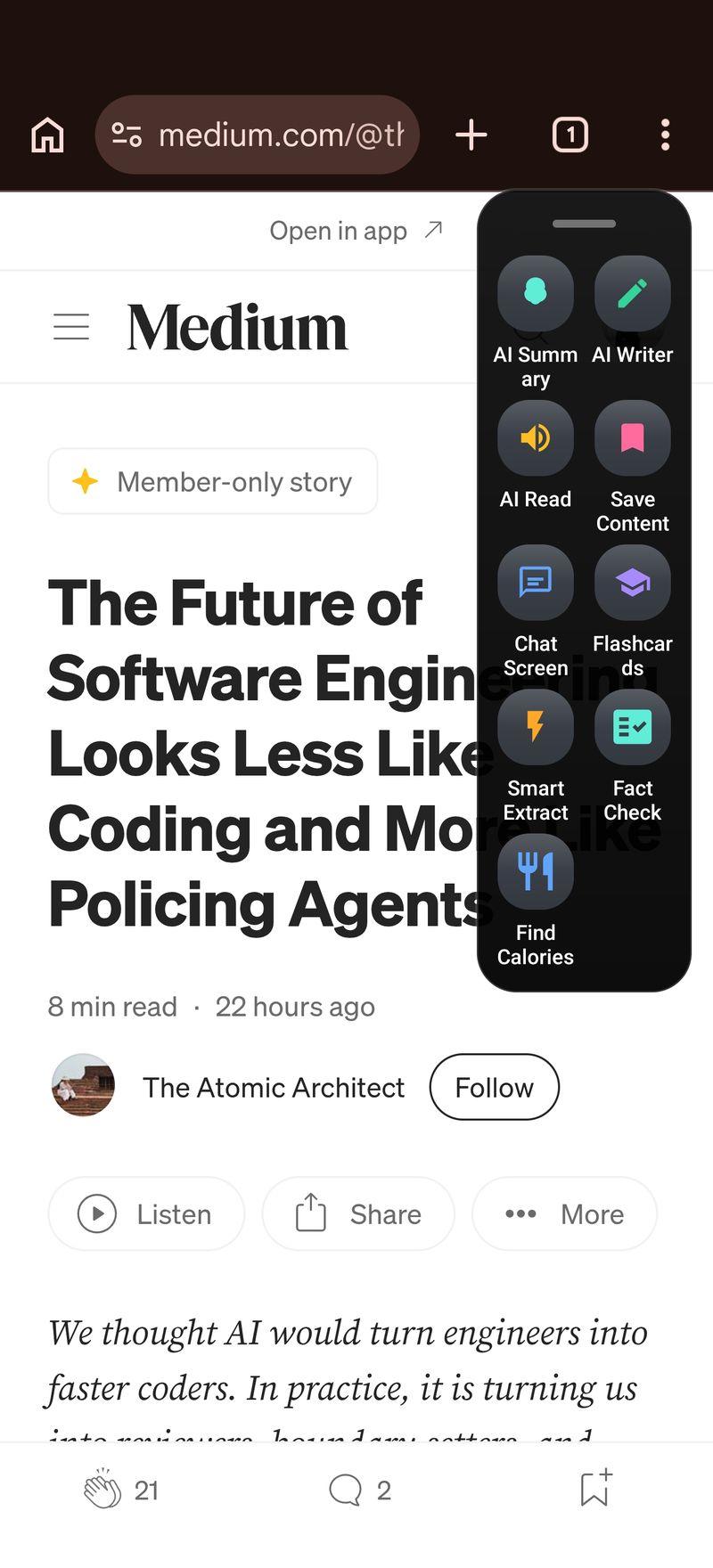
What it does:
- Summarizes articles, PDFs, emails — with read-aloud for commutes
- Drafts replies and rewrites text using your saved personal info
- Extracts events, addresses, and OTP codes from any screen (tappable, saved before they expire)
- Transcribes and summarizes phone calls
- Custom AI actions for your repetitive routines
Who it’s for: anyone who wants AI help without leaving their current app. Especially strong if you read a lot on your phone or handle lots of messages.
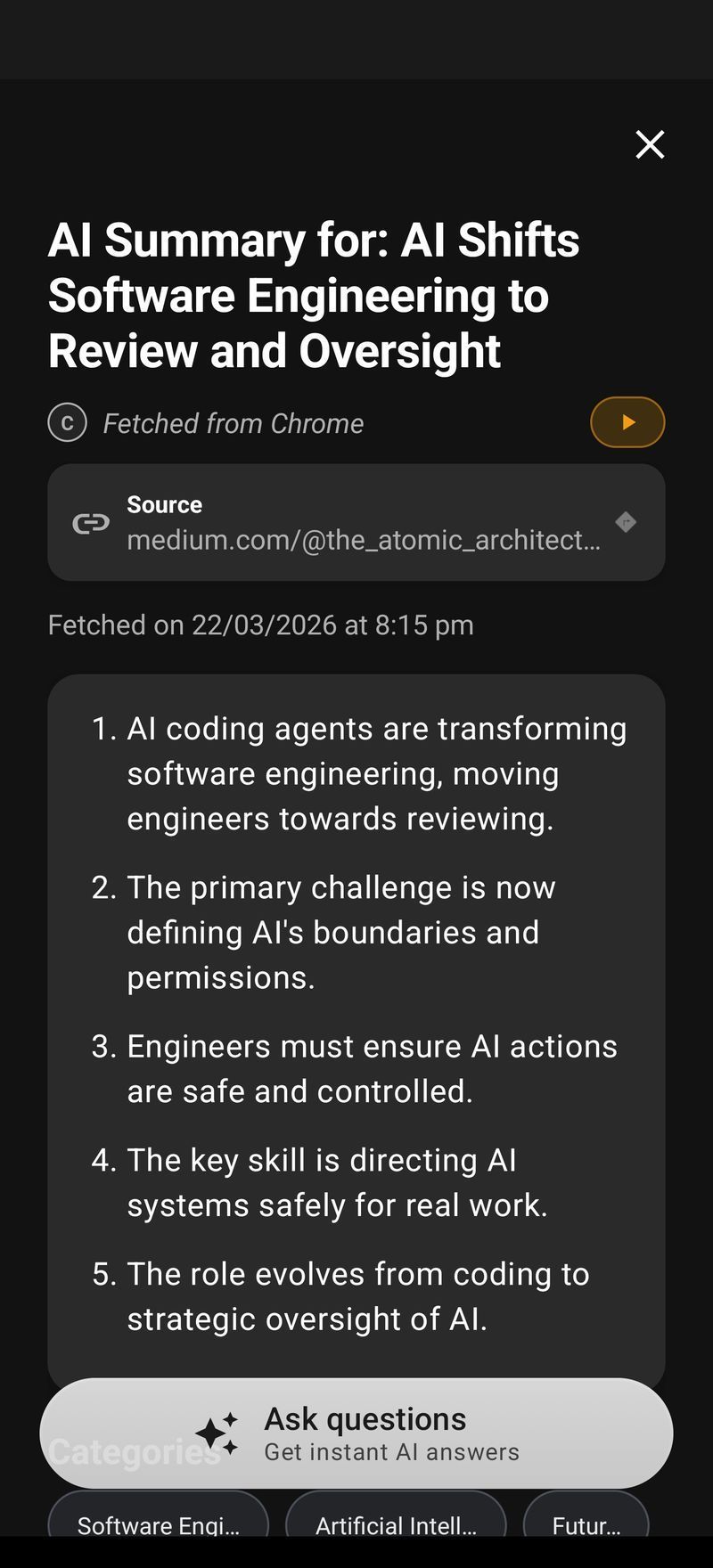
Honest limits: it’s a screen assistant, not a full chatbot, so for long research sessions ChatGPT or Perplexity are better. It needs accessibility permission to read the screen, which not everyone will want to grant, and the free tier is 7 requests per week on basic features.
2. Google Gemini (best built-in assistant)
Free / AI Premium · Android + iOS
Gemini replaced Google Assistant on modern Android and it is now genuinely good. The screen-awareness on Pixel and Galaxy — asking about what’s in front of you without describing it first — is the feature that changed my mind about it. With AI Premium it also lands inside Gmail and Docs, which is where it stops being an assistant app and starts being infrastructure.
What it does well: anything touching Google’s own surfaces. Pulling a flight out of Gmail, drafting in Docs, answering from your calendar. No third-party app has that access and none will.
Who it’s for: people whose life is already in Google’s apps. If your email, documents and calendar are all Google, the integration is worth more than any model difference.
Honest limit: for most tasks you still leave your current app to use it. That sounds trivial until you count it: the context switch costs a few seconds and, more importantly, breaks whatever you were doing. Gemini is also uneven across third-party apps in a way it is not across Google’s own.
Gemini Intelligence and on-screen AI. Google announced Gemini Intelligence at I/O 2026: on-screen awareness, cross-app task completion, proactive suggestions and voice-driven actions, built into Android itself. OS-level access is an advantage no third-party app can match, and it will help people who never install another AI app. Two practical gaps remain. Google decides which actions exist, so niche workflows (extracting drug interactions from a PDF, explaining kanji in context, replying in your own tone) need a tool that lets you write your own. And behaviour is stronger in Google’s apps than in third-party ones. If those gaps don’t affect you, Gemini may be all you need.
3. Circle to Search (best built-in feature)
Free, built in · Pixel and Samsung flagships
Long-press the navigation bar, circle anything on screen. It is the fastest “what is this?” tool on any phone, full stop — products in a photo, a landmark in a video, a homework problem. The interaction is so direct that people who never open an AI app use this one daily without thinking of it as AI.
What it does well: identification and lookup, in under two seconds, from anywhere.
Who it’s for: everyone with a supported phone. There is no reason not to use it.
Honest limit: lookups only. It will tell you what something is; it will not summarize the article, draft the reply, or do anything with the answer. It also ships only on Pixel and Samsung flagships, so a mid-range phone doesn’t get it.
4. ChatGPT (best general chatbot)
Free / $20 Plus · Android, iOS
Still the deepest general-purpose chatbot, and the Android app has stopped feeling like a port. Voice mode is the standout — genuinely conversational, good enough to use while walking. Custom GPTs give it range nothing else on this list matches.
What it does well: long, winding problems. Anything where you need to think out loud for twenty minutes and have the thread hold together.
Who it’s for: anyone doing real work with AI rather than quick lookups. If you only install one chatbot, this is still the one.
Honest limit: the same as Gemini’s, minus the OS integration. It lives in its own app, isolated from whatever you were doing. Every use starts with a copy and ends with a paste.
5. Sider (best browser sidebar)
Free / from $10/mo · iOS, Desktop, Web
The original “AI sidebar”: a panel beside any webpage, with frontier-class models behind it. On desktop it is excellent — page summaries, follow-up questions, and comparisons across tabs without losing your place.
What it does well: sustained web research. Reading six sources on one question and keeping the assistant alongside all of them.
Who it’s for: desktop researchers. Writers, analysts, anyone whose work is mostly tabs.
Honest limit on Android: the mobile experience is a real step down from the desktop one. Sider’s strength is the browser sidebar, and Android’s browsers don’t give it the same room. If you found Sider through desktop and expected parity on your phone, you will be disappointed.
6. Otter.ai (best for meetings)
Free / from $8.33/mo · Android, iOS, Web
If you sit in meetings, Otter records, transcribes, and summarizes them, with speaker labels that are mostly right. The summaries have got noticeably better — they now pull action items rather than just compressing the transcript.
What it does well: scheduled, multi-person meetings. It joins calendar calls on its own, which removes the failure mode where you remember to record after the important part.
Who it’s for: anyone in more than about five meetings a week. Below that the free tier covers you; above it the subscription pays for itself the first time you skip taking notes.
Honest limit: meetings, not phone calls. Arc transcribes phone calls; Otter covers scheduled ones. They overlap less than the descriptions suggest, and if you need both you will run both.
7. Perplexity (best for research)
Free / $20/mo · Android, iOS
Cited, current answers in a clean mobile app. The distinction that matters: Perplexity answers with sources attached rather than asking you to trust it, which makes it the right tool whenever being wrong has a cost. The Comet browser push is making it more agentic every month.
What it does well: questions about the present. Prices, specs, what happened last week, whether a claim is actually true.
Who it’s for: people who check things. If your instinct on receiving an answer is to want the source, this is built for you.
Honest limit: it is a research tool, not a writing tool. Asking it to rewrite your email is using a microscope as a hammer — it works, but you bought the wrong instrument.
8. Notion AI (best for Notion users)
$10/mo add-on · Android, iOS, Web
If your second brain lives in Notion, its AI summarizes, searches, and drafts inside your actual workspace — against your own pages rather than a generic index. Q&A across a messy workspace is the feature that justifies it.
What it does well: knowing your context without being told. It has already read everything you wrote.
Who it’s for: committed Notion users, and only them.
Honest limit: the pricing is per-member, which stings for solo users and gets expensive for teams. And it is worth nothing if your notes are somewhere else — this is an add-on to a commitment you have already made, not a reason to make it.
9. Tasker + AI plugins (best for DIY automation)
~$3 one-off · Android
Not an AI app itself. Tasker is the automation engine Android power users have run for over a decade; pair it with an AI API and you can build things no product on this list ships — reacting to a notification’s content, chaining across apps, running on a schedule or a location.
What it does well: the automation you specifically need and no one else asked for.
Who it’s for: people who enjoy the building. That is not a hedge — the enjoyment is the prerequisite.
Honest limit: you are the developer, the tester, and the support desk. Where Arc’s custom actions are a prompt in a text box, this is an afternoon. The payoff is that the ceiling is much higher.
What didn’t make the list
A few apps I tested and left off, since the omissions are usually the question:
- Copilot on Android is capable, but nothing it does is better than what Gemini already does natively on the same phone.
- Claude’s mobile app is strong at long-form writing and reasoning, and I use it on desktop — but on a phone it competes directly with ChatGPT and doesn’t yet win on the mobile experience.
- The various “AI keyboard” apps all ask you to replace your keyboard, which is a large permission for a small gain. Screen-level tools get the same job done without the swap.
Which should you install first?
Start with what your phone already has: Gemini and Circle to Search cost nothing and cover a lot. Then add by the shape of your day. Meetings most days, add Otter. Research most days, add Perplexity. Long thinking sessions, add ChatGPT. Notes in Notion, add Notion AI. If you keep copying text out of one app into an AI and pasting the result back, that’s the gap Arc fills; it’s free to try on Google Play.
For a head-to-head of screen assistants specifically, see Arc vs. the alternatives.
Written by Mamata, the indie developer building Arc. This page is updated as the apps change.
Further reading: Google’s Gemini developer docs · Android’s AccessibilityService API.