AI Summarizer and Screen Text Extractor
Turn the article, email, PDF or web page you're already on into a concise AI summary in one tap — then listen to it, or pull out the text, codes, contacts and dates you need. No copy-paste, no upload.
How AI Summary works
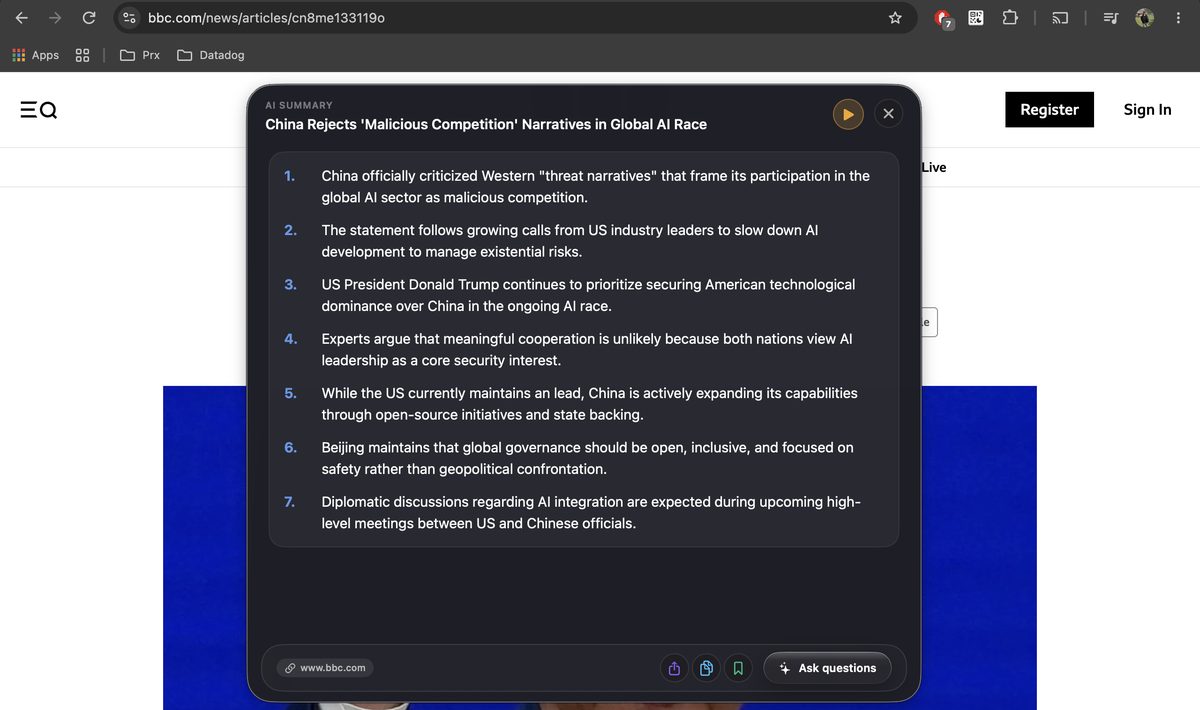
An article, email thread, PDF, report or web page — in any app on Android, or any window on Mac and Windows
From the floating sidebar on Android, or the Arc menu on Mac (Control+Space) and Windows (Ctrl+Space)
A concise summary with key points arrives in 2–3 seconds. Tap play to hear it instead
What you get in a summary
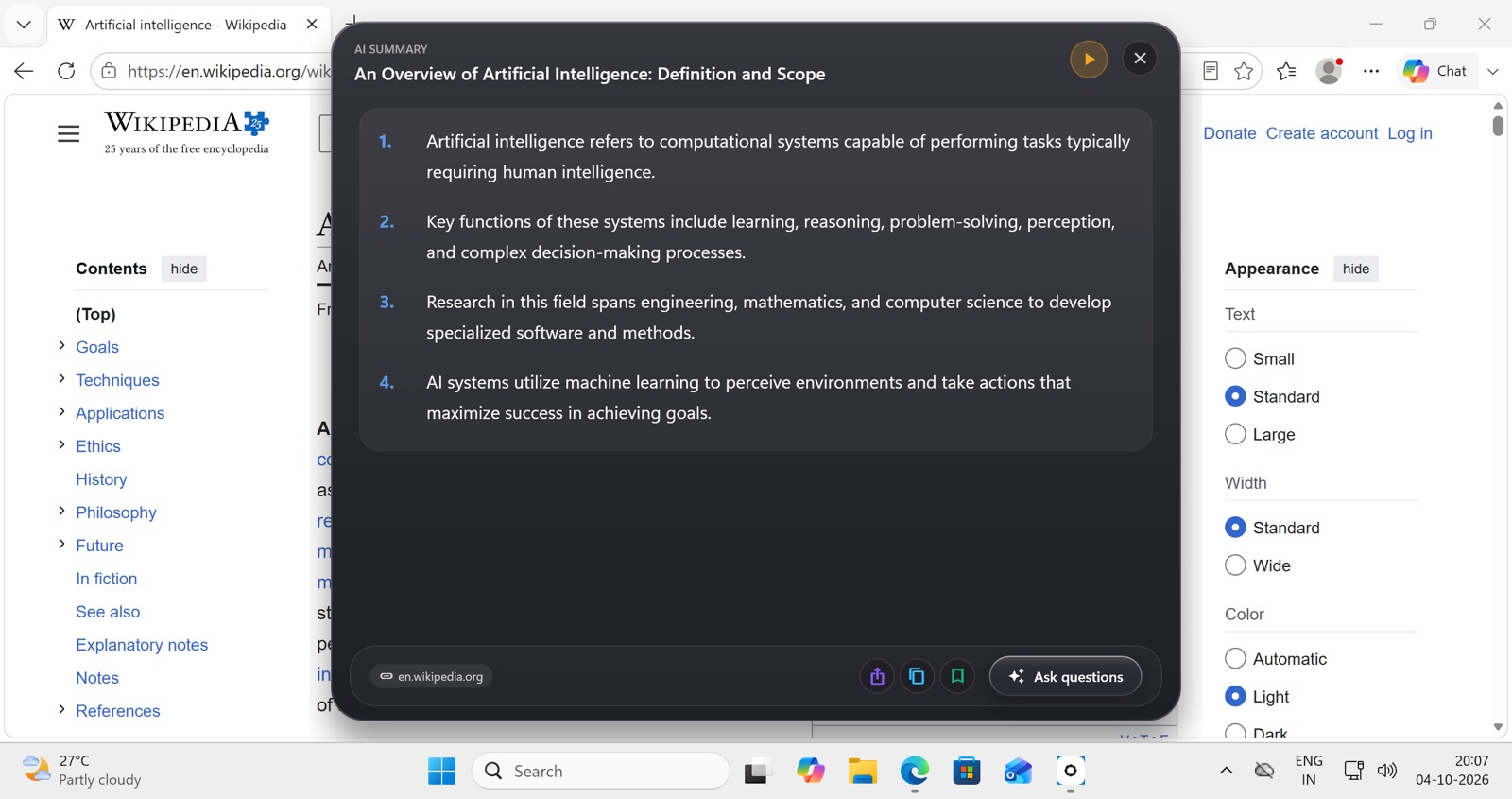
Key Points, In Context
The main arguments, conclusions and critical details — with the relationships between ideas kept, not just extracted sentences.
Brief or Detailed
Choose a quick overview or a fuller summary depending on how much time you have.
9 Languages
English, Spanish, German, French, Portuguese (Brazil & Portugal), Korean, Japanese and Indonesian. The source language is detected automatically.
Save & Search
Save summaries with categories and notes, then search them later.
Then listen to it
Every summary has a play button. AI Read speaks it in a natural voice, skipping ads and formatting clutter, so a long newsletter or report becomes something you can hear while driving, cooking or exercising. Condensing first and listening second cuts the reading load for people with dyslexia, ADHD or low vision. For voices, speed and pitch settings and full-screen reading, see AI text to speech.
Content is processed to generate summaries and speech but never stored on Arc’s servers.
Screenshot to text: pull out what you need
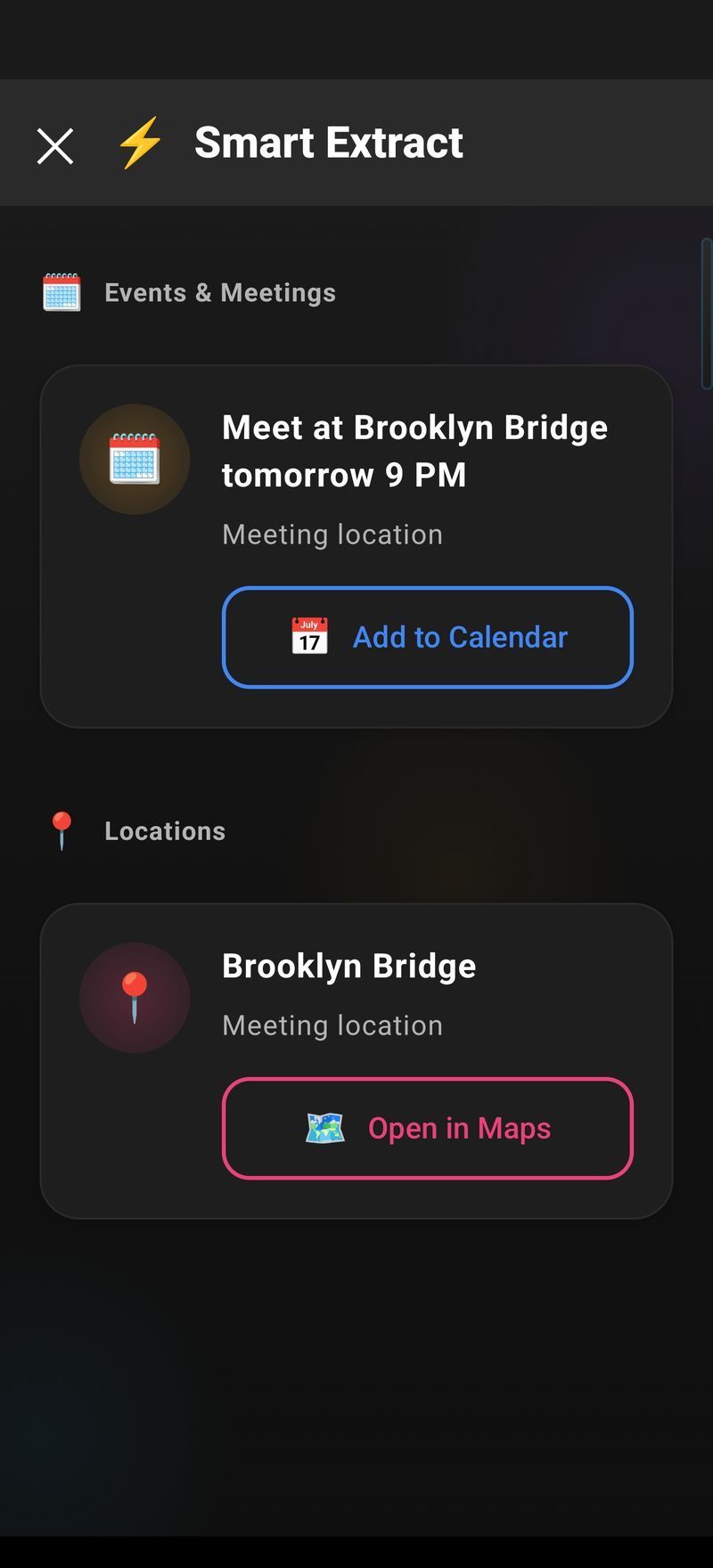
Sometimes you don’t want a summary — you want the code, the address or the meeting link. Smart Extract reads the current screen and surfaces every actionable item, priority-ordered so the most urgent (an OTP about to expire, a meeting starting soon) comes first:
| Category | What it catches | One-tap action |
|---|---|---|
| 📅 Event | Meeting times, appointments, schedules | Add to Calendar — a real entry, not a link |
| 🔔 Reminder | “Don’t forget to…” mentions | Set Reminder — with the exact time from the text |
| ⏰ Deadline | Due dates, expiry dates, cutoffs | Create Task or Set Reminder |
| 👤 Contact | Names, phone numbers, emails | Save Contact, Call, or Send Email |
| 🎥 Meeting link | Zoom, Meet, Teams URLs buried in text | Join Meeting |
| 📍 Location | Addresses, place names | Open in Maps |
| 🔐 OTP | Verification codes | Copy Code — before it expires |
Copy text that won’t select
Webview containers, locked PDFs, some messaging apps and scanned documents don’t let you select text. Arc reads the screen with built-in OCR, so the words become copyable regardless of what the app allows. On desktop it works over any window — PDFs in preview apps, video subtitles, labels in design tools.
The most-used extraction is the verification code: invoke Smart Extract while it’s on screen and the OTP is copied to your clipboard verbatim — no memorizing six digits while you switch apps.
Region selection for noisy screens
A screen full of chat bubbles, sidebars and ads is noisy. Turn on region selection in Settings → Screenshots (“Ask for region”) and Arc extracts only from the area you mark — one table row, one message, one code block.
Use cases
- Email: understand a long thread or newsletter in seconds, then listen on the go.
- Research: summarize papers and articles for a literature review.
- Documents: get the key points of contracts, reports and proposals before reading in full.
- News: stay informed without spending an hour reading.
- Study: condense a textbook chapter, then turn it into flashcards.
- Admin: grab a phone number, address or deadline off a screenshot and save it in one tap.
Frequently asked questions
How accurate are the AI summaries?
Arc uses Google Gemini to capture the key points and main ideas accurately. As with any AI-generated content, verify summaries before relying on them for critical decisions.
What types of content can be summarized?
Virtually any text on screen: articles, emails, PDFs, ebooks, web pages, social media posts, documents and messages, in any Android app or on Mac.
Is there a limit to summary length?
Arc handles very long documents. Summary length adapts to the source, giving a concise overview that keeps the essential information.
Can I edit or customize summaries?
Yes. You can save summaries, add your own notes, organize them into categories, and search your saved summaries anytime.
Does it work offline?
Generating summaries and AI voices needs an internet connection because Arc uses cloud AI models. Saved summaries are available offline.
How is this different from Android's built-in TalkBack?
TalkBack is a full screen reader that reads every UI element. Arc reads only the content you want to hear, in natural voices, and can summarize it first.
Can Arc copy text from images or apps that block selection?
Yes. Smart Extract reads the screen directly with built-in OCR, so text in screenshots, locked PDFs, webviews and apps that prevent copying becomes copyable.
What can Smart Extract pull out?
Seven categories: events, reminders, deadlines, contacts, meeting links, locations, and OTP codes — plus plain text via OCR. Each has a matched one-tap action like Add to Calendar, Save Contact, or Copy Code.
Does the calendar action create real events?
Yes — Smart Extract uses the platform's actual calendar APIs (EventKit on macOS, .ics files on Windows). One tap creates a genuine entry, not a link.
Try AI Summary free

Related features
- AI Writer - Rewrite, reply, and polish text in any app
- AI Shortcuts & Custom Actions - Save your own prompts as one-tap actions
- AI Note Taker - Summaries and action items from your phone calls
Available platforms
- Arc for Android - Download now from Google Play
- Arc for iOS - In development
- Arc for Mac - Available now, free download
- Arc for Windows - Free on the Microsoft Store