AI Reply Generator — Perfect Replies, Any App
Summon Arc over WhatsApp, Gmail, Slack or any text field. It reads the message, drafts the perfect reply — polite, professional, or short — and writes it in place. You just hit send.
Replying to an email, step by step.
Here's the actual flow, using Gmail on desktop — the same steps work on WhatsApp Web, Slack, Outlook, or any text field on your phone.
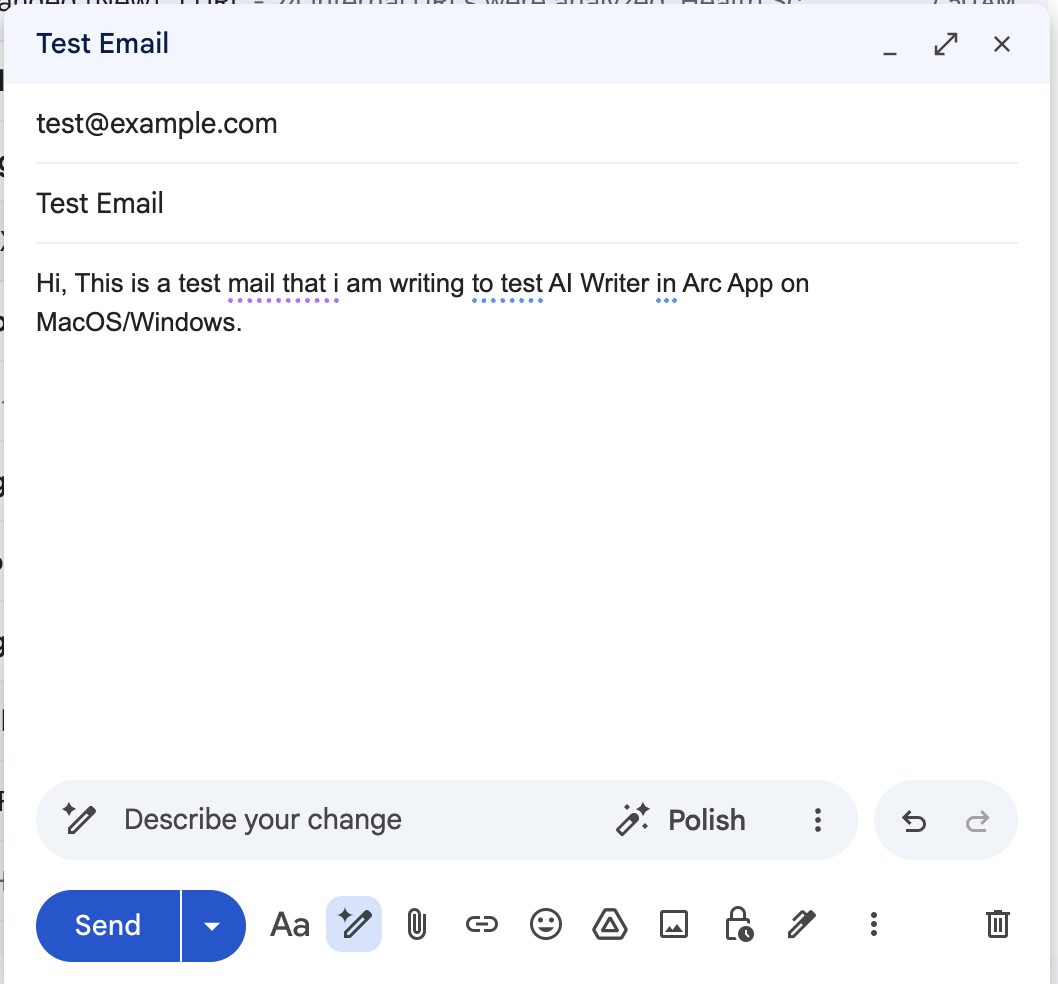
Step 1 — The rough draft
You've typed a quick, messy reply: "Hi, This is a test mail that i am writing to test AI Writer in Arc App on MacOS/Windows." Lowercase "i", missing comma, no sign-off. Good enough for a test — embarrassing for a client.
Step 2 — Invoke Arc over the draft
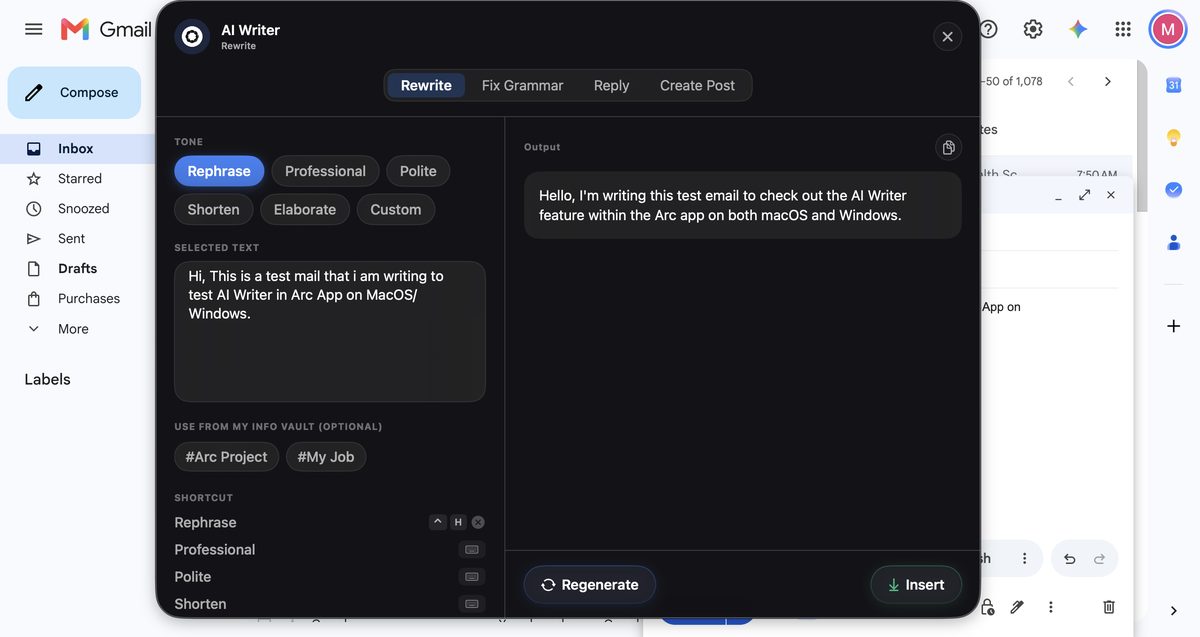
Press Control+Space (macOS) or swipe the edge (Android). The Arc menu appears over Gmail — without stealing focus from your draft. Select AI Writer. Arc auto-fetches the text from the focused field: your rough draft appears in the SELECTED TEXT box, ready to work on.
Step 3 — Pick a tone
Choose Rewrite, then a tone from the chips: Rephrase, Professional, Polite, Shorten, or Elaborate. Tap Generate. Arc rewrites the draft in that voice — and if it's not right, tap Regenerate or step back through the generation history.
Step 4 — Insert and send
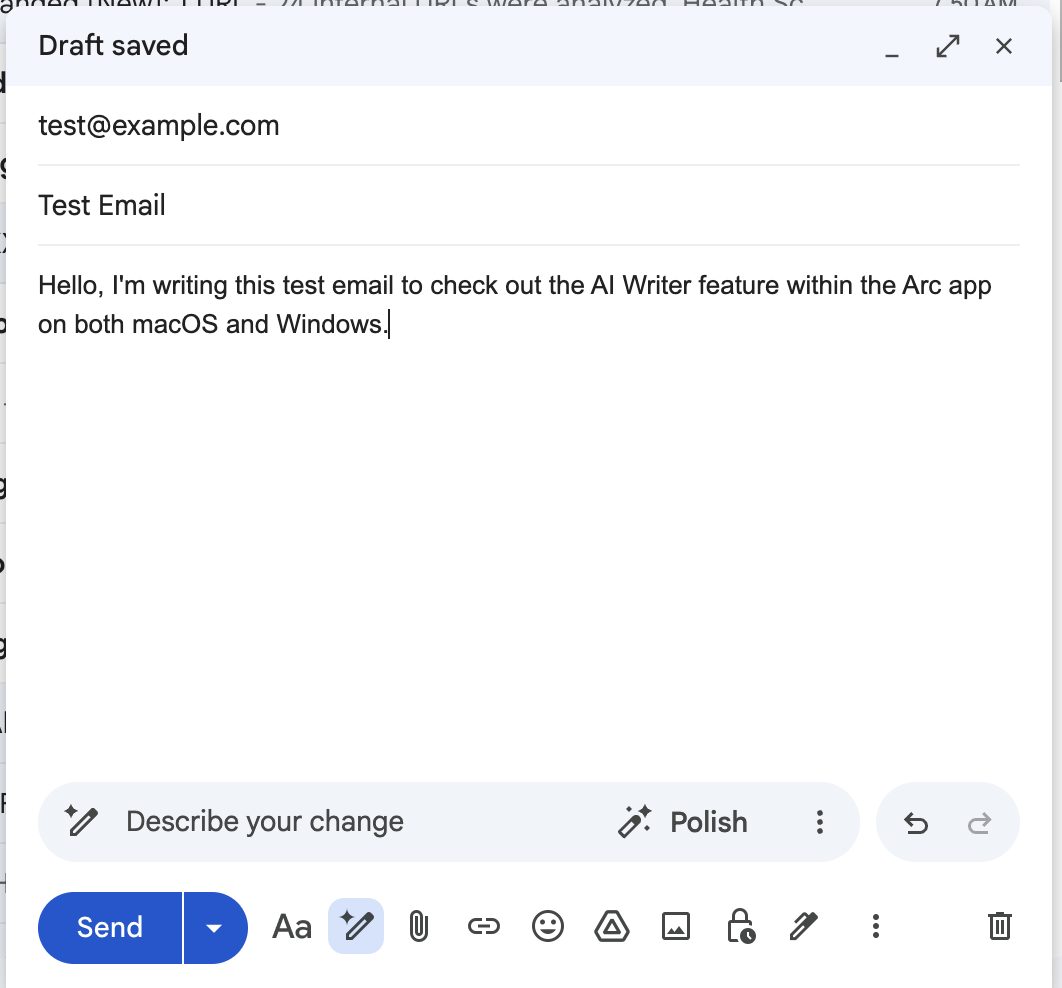
Tap Insert, and the polished text is written directly back into the Gmail field — replacing your rough draft exactly where your cursor was. Gmail shows "Draft saved". Hit send.
Five intentions, one tap each.
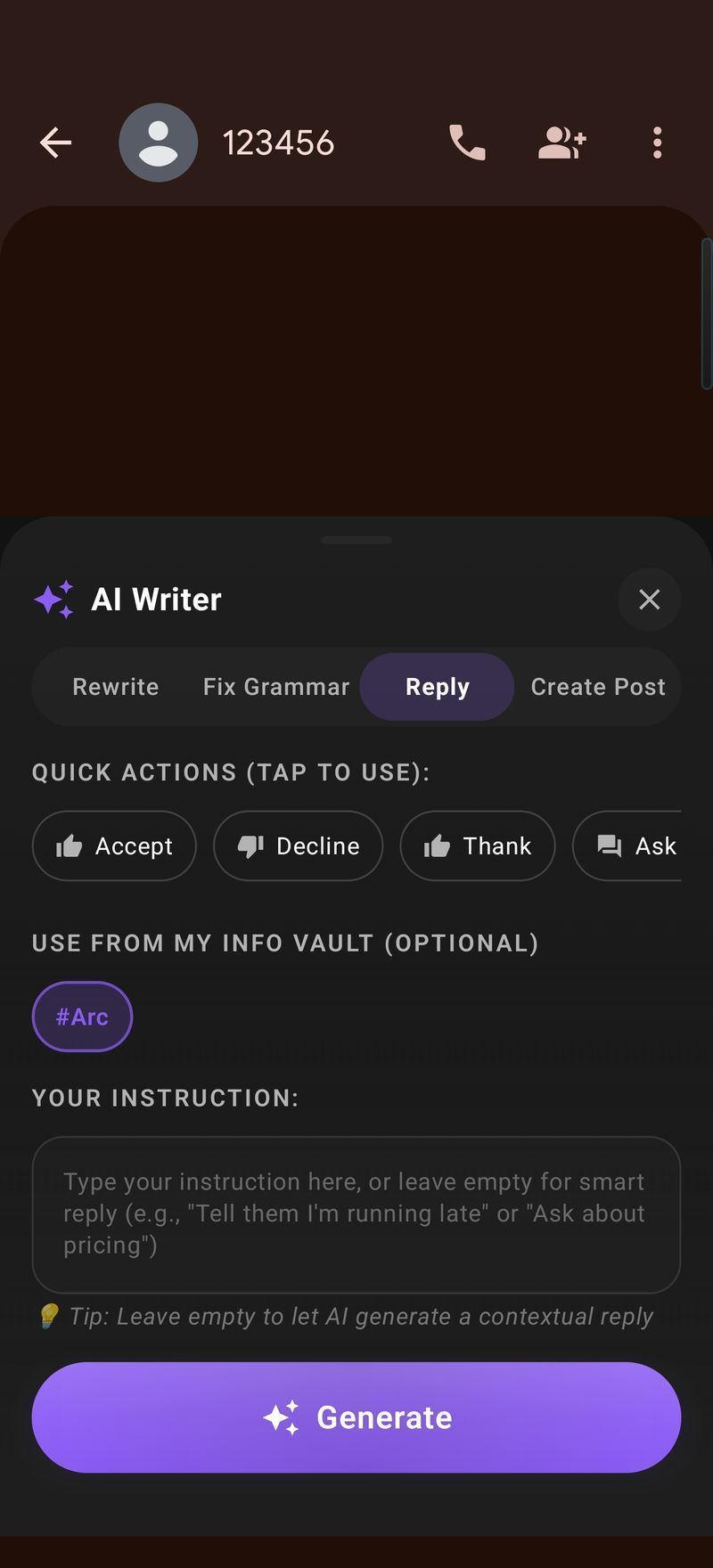
Not every message needs a paragraph. The Reply mode gives you five one-tap intentions, and Arc writes the appropriate response to the message you're reading:
| Intention | When to use it | What Arc writes |
|---|---|---|
| Yes / Agree | Confirming a plan, accepting an invite | A warm confirmation with the details echoed back |
| No / Decline | Turning something down politely | A clear, courteous no — no ghosting |
| Thank | Someone helped, sent, or hosted | A genuine thank-you with a specific callback |
| Ask for details | The message is vague or missing info | A focused question asking exactly what's missing |
| Acknowledge | Just let them know you saw it | A brief "got it, will circle back" — no over-promising |
Rewrite anything, six ways.
🔄 Rephrase
Same meaning, fresh wording — for when you've written yourself into a corner.
💼 Professional
Cleans up tone for clients, bosses, and formal threads.
🤝 Polite
Softens a blunt message without changing its meaning.
✂️ Shorten
Cuts a rambling draft to its point. The "TL;DR" button for your own writing.
📖 Elaborate
Expands a two-line sketch into a full, clear message.
🎯 Custom
Any instruction you want: "make it apologetic", "add urgency", "sound like a startup founder".
Replies that sound like you wrote them.
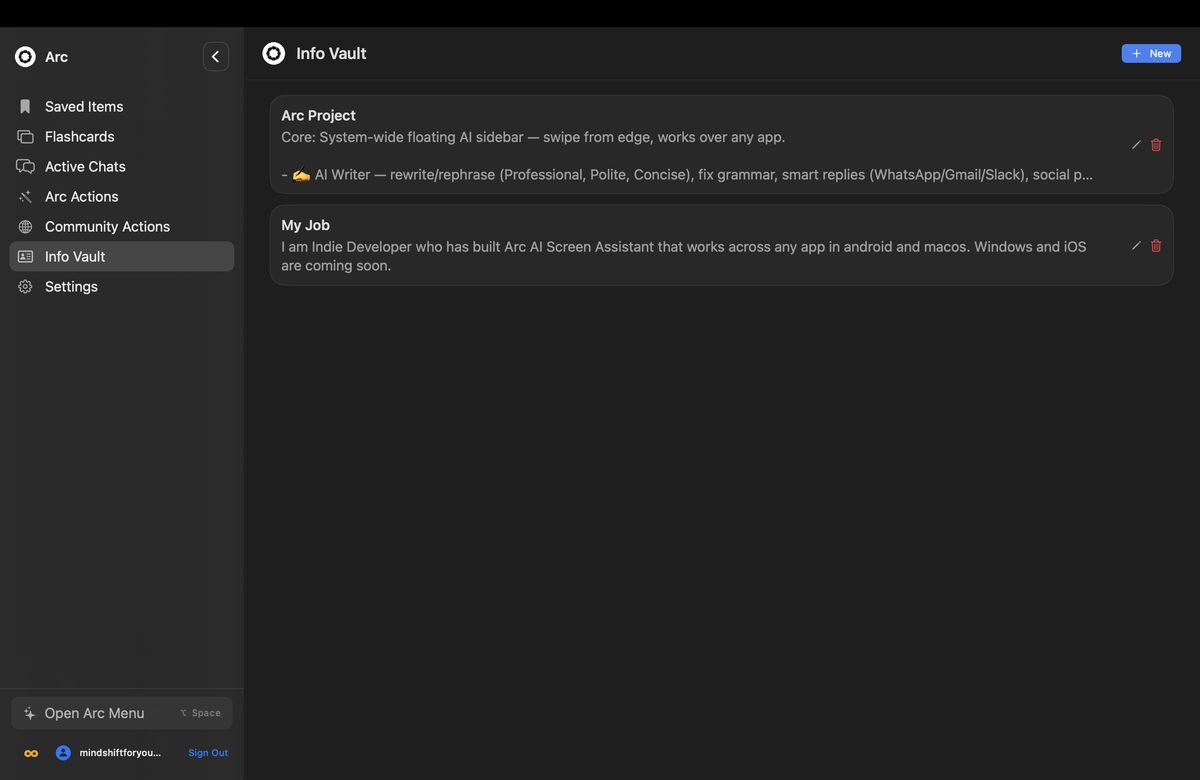
The My Info Vault is what separates Arc from generic reply generators. Save your details once — your name and title, your company, your tone preferences, your common sign-offs — and they appear as optional chips in every reply generation. Include them when the reply needs your full signature; skip them for quick one-liners.
Entries are stored locally on your device. They never get uploaded without your explicit opt-in to Drive backup — and if you use Arc on two devices, backups merge instead of overwriting.
Keyboard-speed editing on desktop.
The desktop app takes replies a step further: bind any sub-action to a global shortcut — Control+R for Rephrase by default — and fix any text field without even opening the Arc panel. Cursor in the field, press the shortcut, done. It even works in terminals and Electron apps.
| Works inside | Android | macOS / Windows |
|---|---|---|
| WhatsApp / WhatsApp Web | ✅ | ✅ |
| Gmail / Outlook | ✅ | ✅ |
| Slack / Teams | ✅ | ✅ |
| Any text field, any app | ✅ | ✅ |
| Write back into the field | ✅ Insert | ✅ Insert |
| Per-action keyboard shortcut | — | ✅ ⌃R style |
Arc is live on Android and macOS today. Windows and iPhone versions are coming soon.
Stop typing the same replies.
Free download, free daily usage. Your thumbs will thank you.
Get Arc FreeCommon questions
Is the AI reply generator free?
Yes — Arc is free to download with generous daily usage on reply generation, rewrites, and grammar fixes. An optional premium subscription removes limits.
Which apps does the reply generator work in?
Any app with a text field — WhatsApp, Gmail, Slack, Outlook, Telegram, LinkedIn, contact forms, CRMs, even terminals. If you can type in it, Arc can write in it.
Will replies sound like me?
Yes — the My Info Vault stores your name, role, writing style and go-to phrases. Every generated reply uses that context, so output sounds like you, not a robot.
Can I fix grammar without opening the panel?
On desktop, yes — bind "Fix Grammar" (or Rephrase) to a global shortcut like Control+R. Cursor in the field, press the key, the text is corrected in place. The panel never opens.
Is there an AI reply generator for Mac or Windows?
Arc for macOS is available now (free, notarized, macOS 14+), and Windows is coming soon. On desktop you also get per-action keyboard shortcuts and generation history.