AI Assistant for iPhone: What Arc Is Building
Ask ten people what an AI assistant for iPhone should do and you’ll get ten answers. Draft my texts. Summarize this article. Read my email aloud while I drive. Check this claim. The App Store has hundreds of apps that do one of those things, and they all share the same friction: you have to leave what you’re doing, open the assistant, paste something in, copy the answer back out.
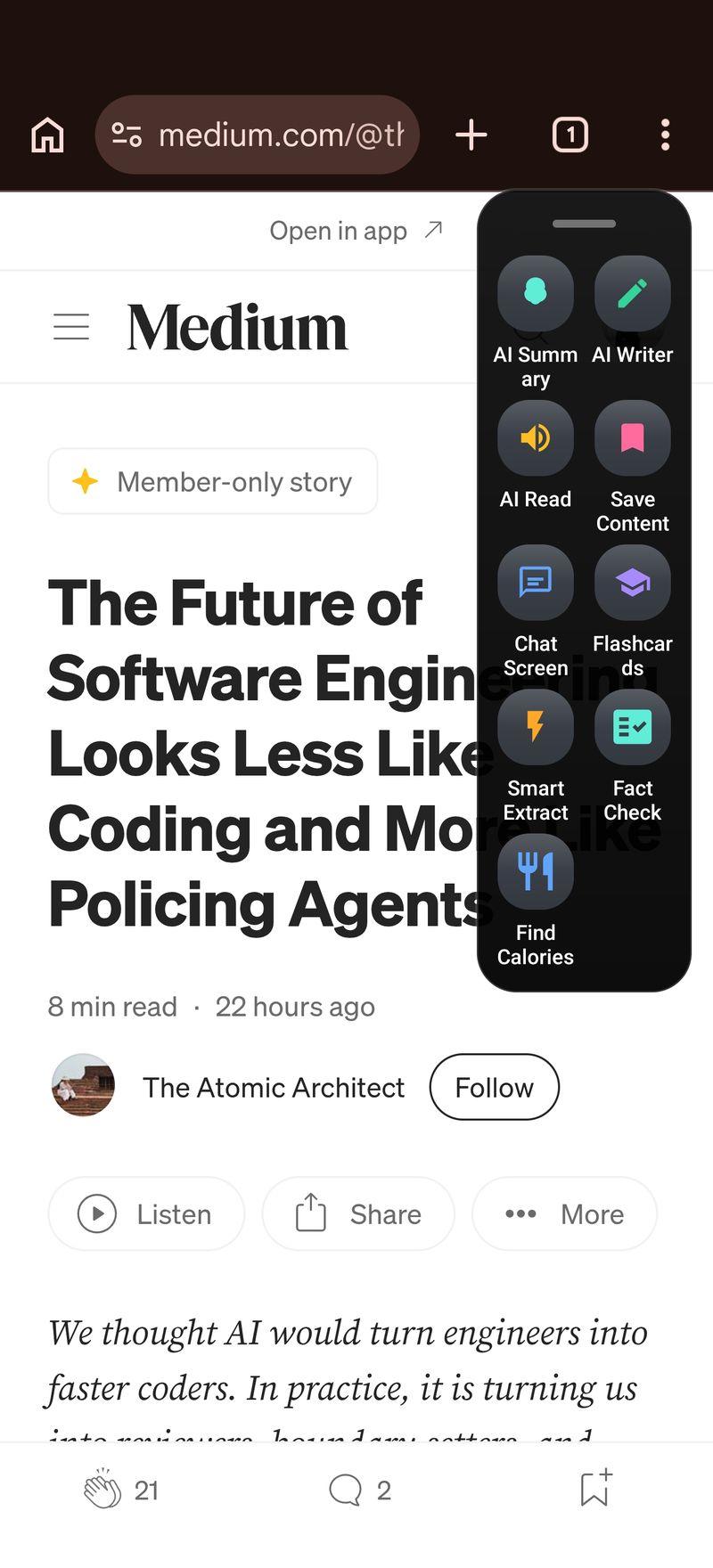
That copy-paste loop is the problem Arc exists to solve. On Android, Arc’s floating sidebar sits over any app — Chrome, Gmail, Kindle, WhatsApp — and acts on the text already on your screen. No pasting. On Mac, Control+Space does the same from any window. The iPhone version is the missing piece, and it’s in development right now. Here’s an honest look at what an AI assistant for iPhone can actually do in 2026, what Arc is building, and why iOS forces a different design than Android.
Why most iPhone AI assistants feel disconnected
The best-known assistants on iOS are full-screen chat apps. ChatGPT, Claude, Gemini, Perplexity — all strong models, all packaged the same way: switch apps, type your question, switch back. Apple Intelligence adds writing tools and notification summaries, but they activate only in the specific places Apple wires them into.
Meanwhile the actual work of your day happens inside other apps. You’re mid-reply in Mail, reading a long policy in Safari, comparing terms in a PDF viewer. An assistant that requires app-switching breaks your train of thought at the exact moment you need it most. That’s the gap a screen-aware AI assistant for iPhone is meant to close — it sees the content you’re already looking at and acts in place.
The iPhone constraint nobody talks about
Here’s the technical reality: iOS does not allow one app to draw over other apps or read their content in the background. That floating-sidebar pattern you can build on Android is simply not available to any developer on iOS — Apple deliberately doesn’t expose it. Every “overlay assistant” you see on Android hits this wall on iPhone.
So Arc for iPhone is being built around the entry points Apple does provide:
- Share Sheet — tap share on any article, email, or document and send it straight to Arc for a summary, a read-aloud, or a rewrite.
- Shortcuts app — chain Arc actions into automations you trigger with a tap, a Back Tap gesture, or from the Lock Screen.
- Action Button — bind Arc to the Action Button on iPhone 15 Pro and later for one-press access.
- Custom keyboard — for in-place rewriting: select text, and Arc’s keyboard rewrites it where it sits, without leaving the app.
Same brain as Android — summarizing, reading aloud, rewriting, extracting, automating — delivered through different doors. When the iOS build ships, the goal is that the AI assistant for iPhone feels native to Apple’s flow rather than fighting it.
What Arc already does — on Android and Mac today
The iPhone version isn’t a redesign; it’s a port of a working product. Arc is live on Android and macOS, and the feature set carries over:
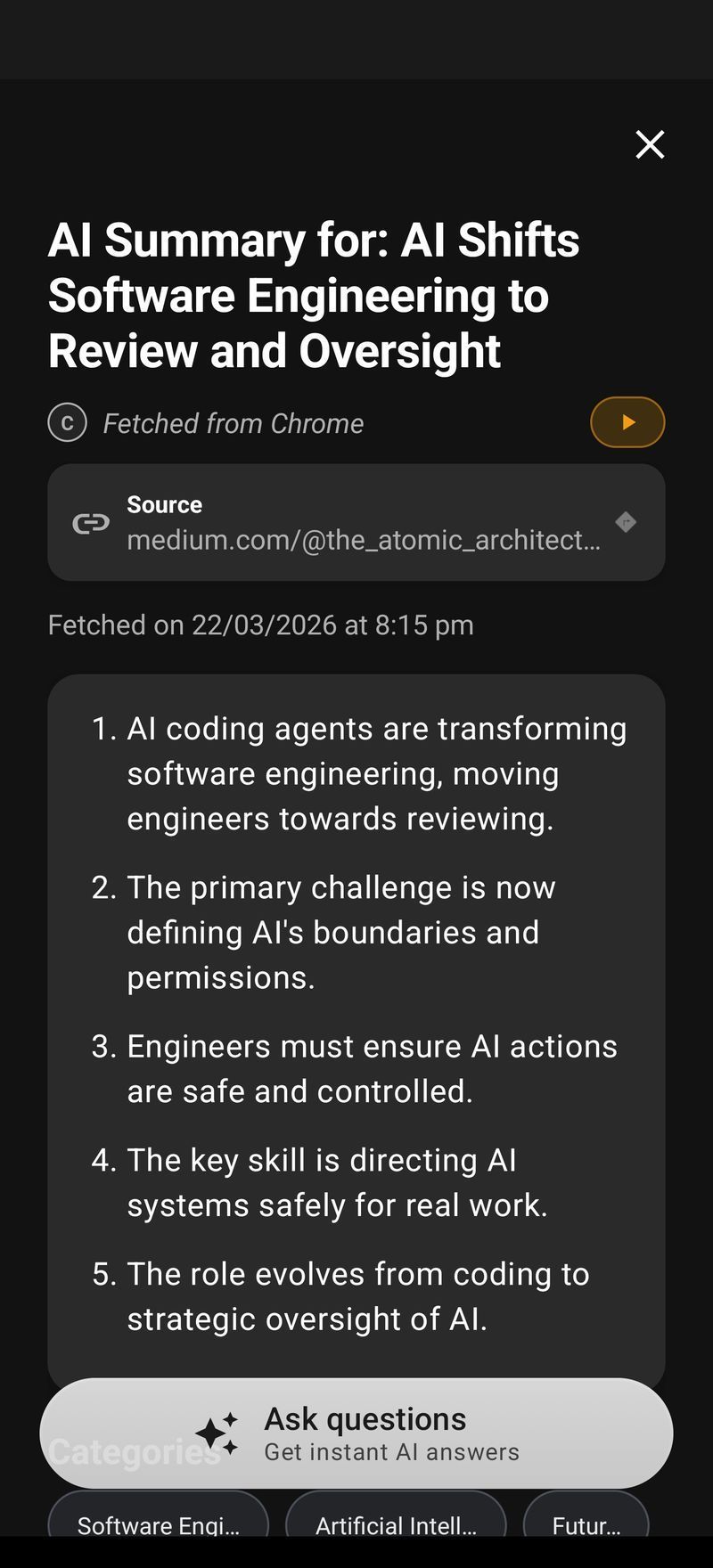
AI Summary & Reader. Capture whatever is on screen — an article, a chat thread, a wall of terms and conditions — and get a clean summary in seconds. Every summary can be read aloud with text-to-speech, so your screen reads itself to you while you drive or cook. Saved summaries build into a library you can search later. This is the core of Arc’s AI Summary & Reader, and it’s the feature iPhone users ask about most.
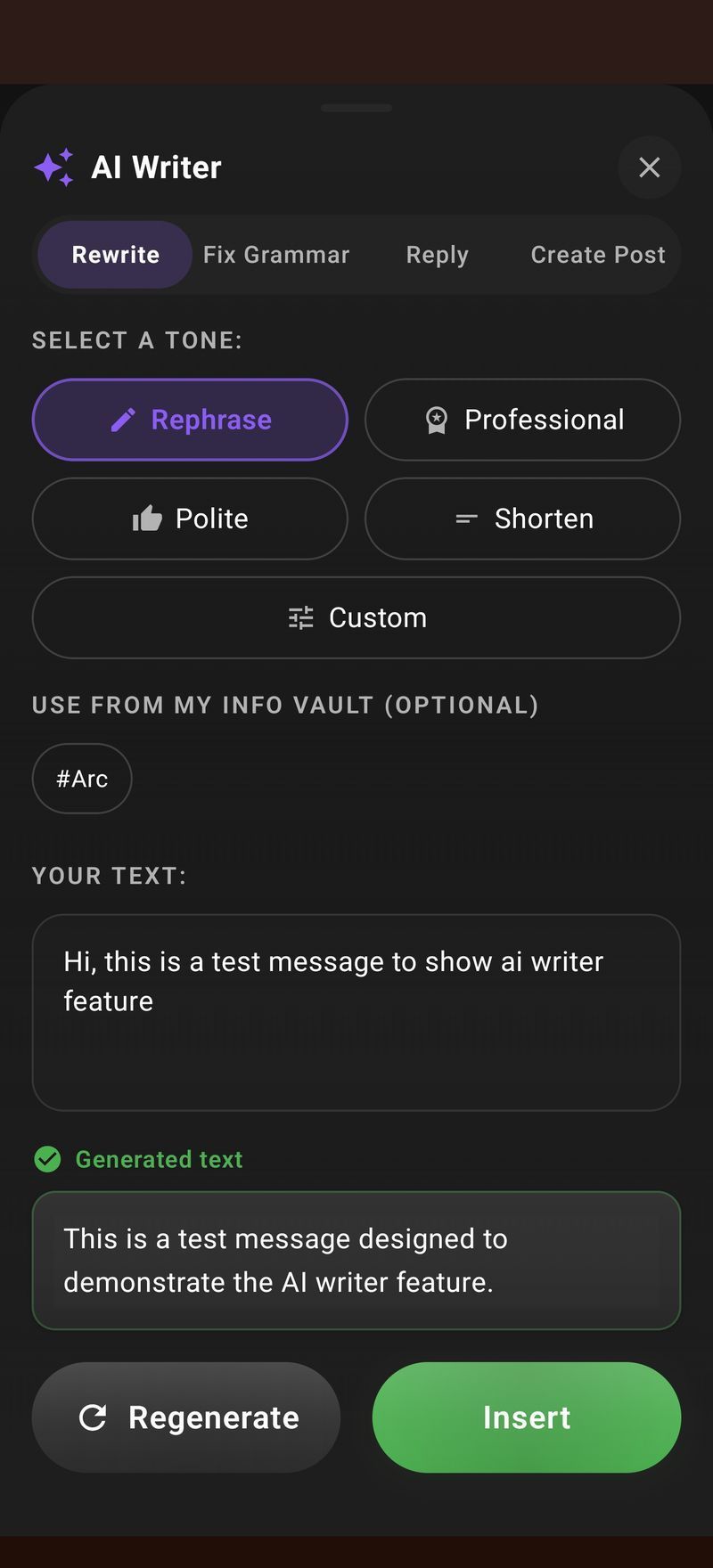
AI Writer. Rewrite selected text in a different tone, fix grammar, or generate a reply to the message in front of you. On Android it works over Gmail, WhatsApp, Slack — anywhere text lives. Arc’s AI Writer is the piece that maps most naturally to iOS, because the custom keyboard and Share Sheet are exactly the system channels Apple built for this.
Chat about the screen. Ask questions about what’s currently displayed — “what’s the return policy here?”, “does this email commit me to anything?” — and get answers grounded in the visible content, not generic web results.
Custom AI actions. Build one-tap routines: summarize and save to your library, extract structured data from a page, run the same three-step workflow on anything you capture. The Mac and Android versions share this engine; browse the community action library to see what people have built.
Flashcards and Info Vault. Turn anything you summarize into study flashcards, and keep a private vault of facts, prices, and details Arc has extracted for you.
If you have a Mac next to your iPhone today, Arc for Mac already covers the desktop side — Control+Space on any window gives you the same summarize, read-aloud, and rewrite actions.
How the AI assistant for iPhone experience will feel
Concretely, the day-one iOS workflow looks like this:
- You’re reading a 4,000-word report in Safari. Tap Share → Arc. Twenty seconds later you have a summary, with an option to listen to it on your commute.
- A client email needs a reply but you’re between meetings. Select the thread, invoke Arc, and get three drafted replies in different tones. Edit and send.
- A recipe, an address, a price — anything on screen gets extracted into your Info Vault with one action, so it’s findable later without a photo of your screen roll.
- Back Tap twice: Arc summarizes whatever you were just reading. No app switch, no paste.
That last one is the closest an iPhone can get to Android’s always-there sidebar within Apple’s rules — gesture-triggered capture instead of an overlay.
Where an iPhone AI assistant genuinely fits your day
The highest-value moments we see across Android and Mac users:
- Inbox triage. Long threads summarized to the decision and the action item before you open them.
- Reading on the move. Articles and docs converted to audio so dead commute time becomes reading time.
- Writing under pressure. Rewrites and replies that start from a decent draft instead of a blank screen.
- Verifying before agreeing. Long terms pages, loan documents, subscription fine print — summarized to what actually binds you.
- Research stacks. Save, extract, and turn findings into flashcards or vault entries instead of 40 open tabs.
An AI assistant for iPhone earns its place by removing steps from exactly these moments — not by being another chat bubble.
Pricing: free tier, no ads
Arc’s model is the same on every platform — the full breakdown lives on Arc’s homepage: free covers 7 requests per week across basic features, and a premium subscription unlocks unlimited summaries, text-to-speech, AI chat, and automation. No ads, no data resale, no trial that expires into a paywall. The iPhone version follows the same model.
FAQ: Arc on iPhone
When is Arc for iPhone shipping?
In development, with no announced date — and I’d rather say that plainly than tease a launch that slips. The honest constraint is iOS itself: the floating sidebar that makes Android Arc feel effortless doesn’t exist on iOS, so the iPhone build leans on Share Sheet, Shortcuts, keyboard, and Action Button, each of which needs its own integration work. If you want to be told when the beta opens, join the Arc for iPhone waitlist — you’ll get an email the day TestFlight invites go out, nothing more.
Can I use Arc on my iPhone right now?
Not as a native iOS app yet. Arc ships today on Android and Mac. If your phone is an iPhone, the waitlist is the fastest path in; if you also carry an Android device or use a Mac, you can run Arc today and see exactly what the iPhone build is porting.
Will the iPhone version have the floating sidebar?
No — iOS doesn’t let any app draw over other apps or read screen content in the background. Arc for iPhone uses the Share Sheet, Shortcuts, an Action Button binding, and a custom keyboard to reach the same outcome: acting on content without app-switching.
How much will the AI assistant for iPhone cost?
The same as Android and Mac: free for 7 requests per week on basic features, premium for unlimited use. No ads, and the free tier doesn’t expire.
Which is the best AI assistant for iPhone overall?
It depends on the job. ChatGPT and Claude are strong standalone chat apps; Apple Intelligence covers system-level writing tools. The gap is an assistant that works on the screen you’re already on — summarizing, reading aloud, and rewriting inside the app you’re using. That’s the role Arc is building for, first on Android and Mac, then on iPhone.
Will my iPhone model be supported?
The plan is to support recent iOS versions and work on everything from iPhone 15 onward, including Action Button models. Hardware requirements will be confirmed at beta, and waitlist members hear first.
Arc on Android is free to try today, and every feature described here — the floating sidebar, summaries, read-aloud, the writer — works right now. Download Arc on Google Play to see the assistant the iPhone version is being built from, or join the iPhone waitlist and be first through the door when the beta opens.